How to use your custom MCP server with Claude Desktop
As a follow-up to my previous post, “Building an MCP Server in Go from scratch”, it’s time to actually use that server with a real client.
In this post, we’ll integrate a custom MCP server with Claude Desktop and see the full flow in action: from natural language prompts to JSON-RPC calls over stdio.
Configuring Claude desktop
We’ll use the MCP server introduced in the previous article: https://github.com/tiagomelo/go-mcp-server.
First, build the binary:
make build
Next, register it in Claude Desktop.
On macOS, edit:
~/Library/Application Support/Claude/claude_desktop_config.json
Add:
{
  "mcpServers": {
    "go-mcp-server": {
      "command": "/Users/tiago/go/go-mcp-server/bin/mcp-server"
    }
  }
}
Important notes:
- Use an absolute path
~will NOT work- The binary must be executable
After saving, restart Claude Desktop completely.
Understanding what happens
When Claude starts, it:
- Launches your binary
- Communicates via stdin/stdout
- Uses JSON-RPC 2.0
-
Follows the MCP lifecycle:
initializenotifications/initializedtools/listtools/call
This is the key idea:
Claude is the MCP client. Your Go program is the MCP server.
Inspecting logs
Claude logs are extremely useful when debugging:
tail -f ~/Library/Logs/Claude/main.log
When Claude Desktop starts, it automatically attempts to connect to the configured MCP servers:
2026-04-12 12:53:22 [info] MCP Server connection requested for: go-mcp-server
2026-04-12 12:53:22 [info] Running initial blocklist check triggered by ConnectToServer
2026-04-12 12:53:22 [info] Launching MCP Server: go-mcp-server
2026-04-12 12:53:22 [info] MCP Server connection requested for: mcp-registry
2026-04-12 12:53:22 [info] MCP Server connection requested for: Claude in Chrome
You can also inspect the server-specific logs:
tail -f ~/Library/Logs/Claude/mcp-server-go-mcp-server.log
Tool usage in practice
Now the fun part: using tools.
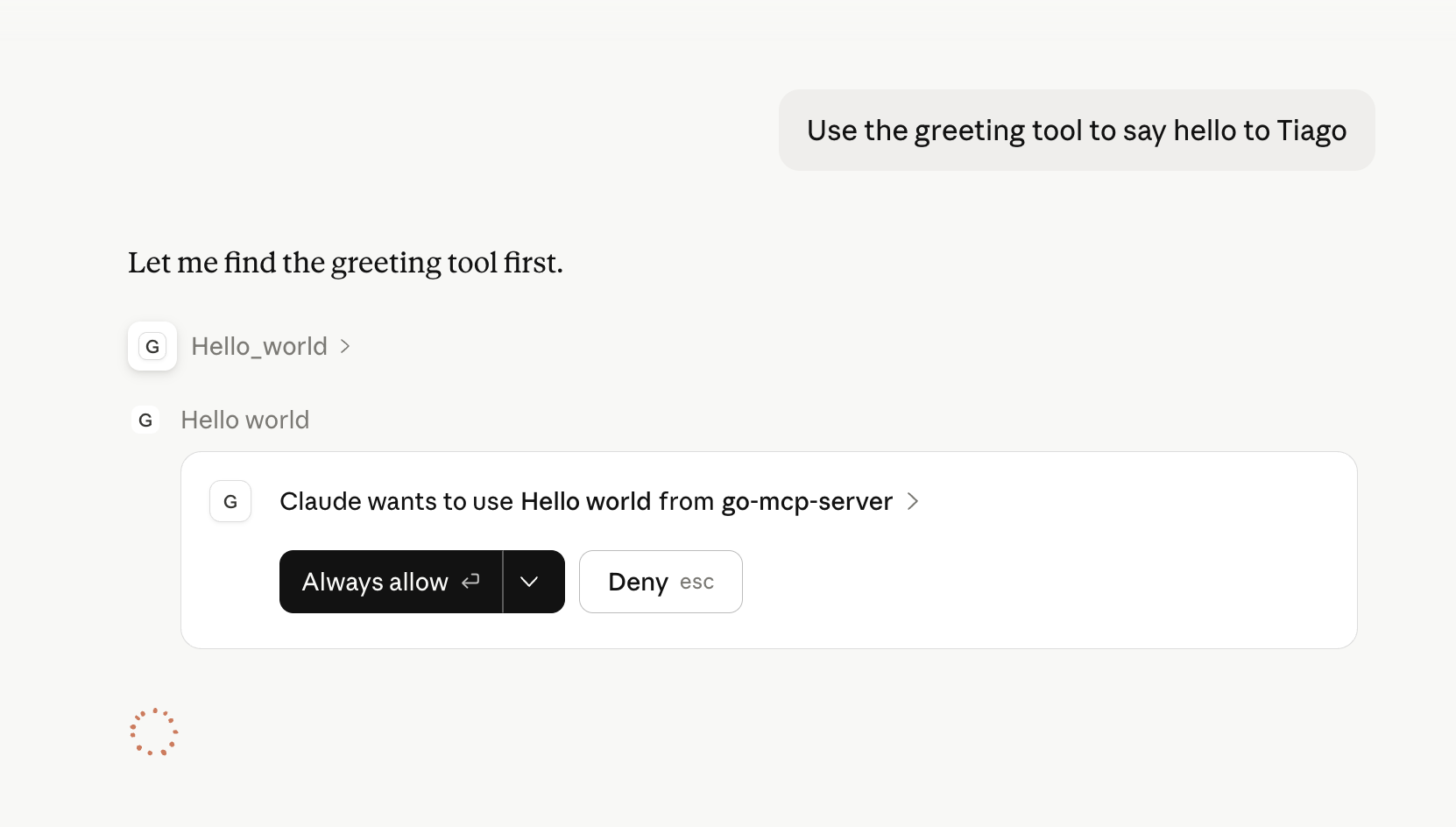
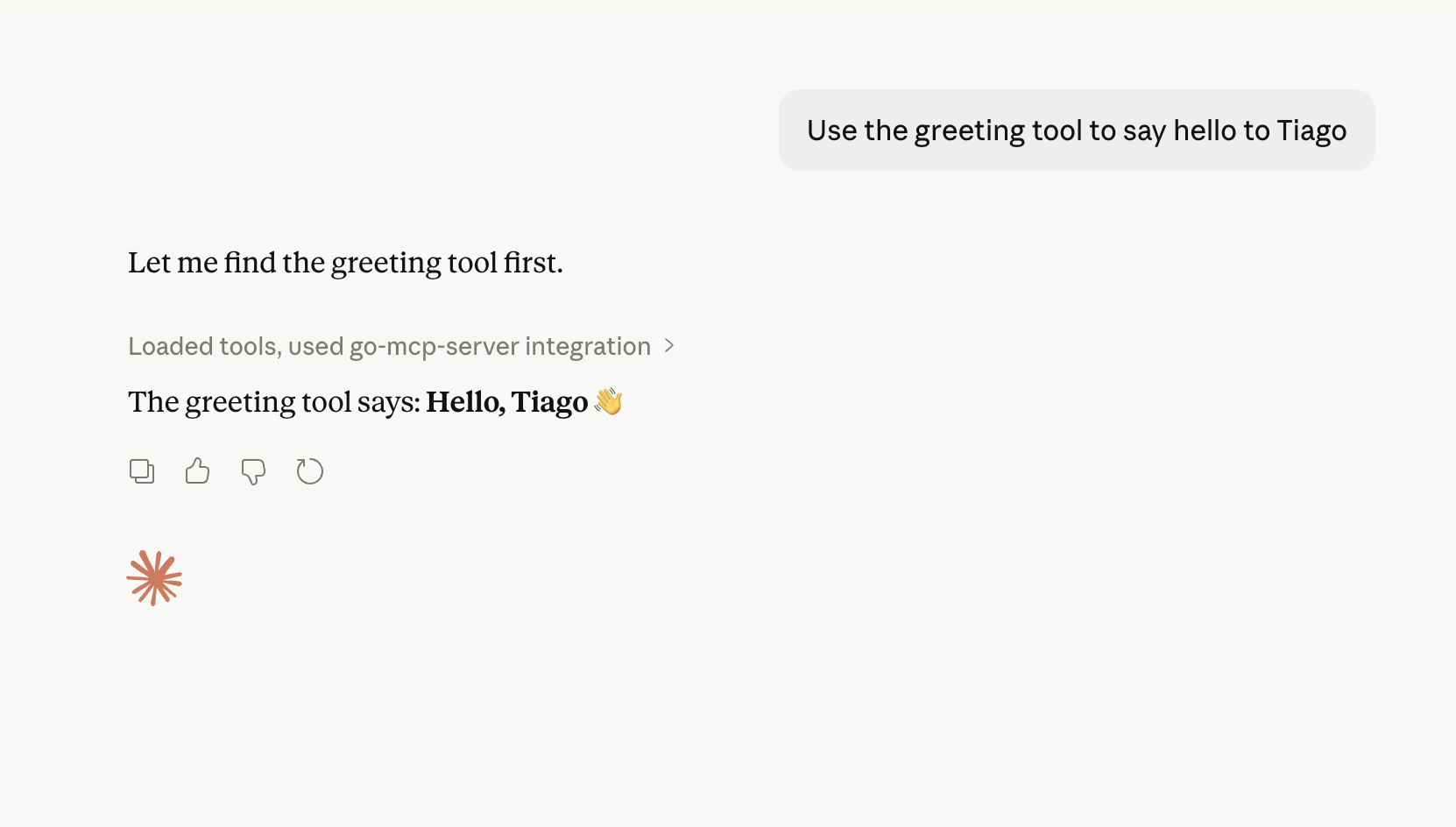
hello_world
Prompt:
Use the greeting tool to say hello to Tiago
Behind the scenes, Claude sends:
2026-04-12T15:56:28.704Z [go-mcp-server] [info] Message from client: {"method":"tools/call","params":{"name":"hello_world","arguments":{"name":"Tiago"}},"jsonrpc":"2.0","id":2} { metadata: undefined }
Your server logs:
time=2026-04-12T12:56:28.705-03:00 level=INFO msg="tool call started" id=2 tool=hello_world
time=2026-04-12T12:56:28.706-03:00 level=INFO msg="tool call succeeded" id=2 tool=hello_world
And responds:
2026-04-12T15:56:28.706Z [go-mcp-server] [info] Message from server: {"jsonrpc":"2.0","id":2,"result":{"content":[{"text":"{\n \"message\": \"Hello, Tiago\"\n}","type":"text"}],"isError":false,"structuredContent":{"message":"Hello, Tiago"}}} { metadata: undefined }
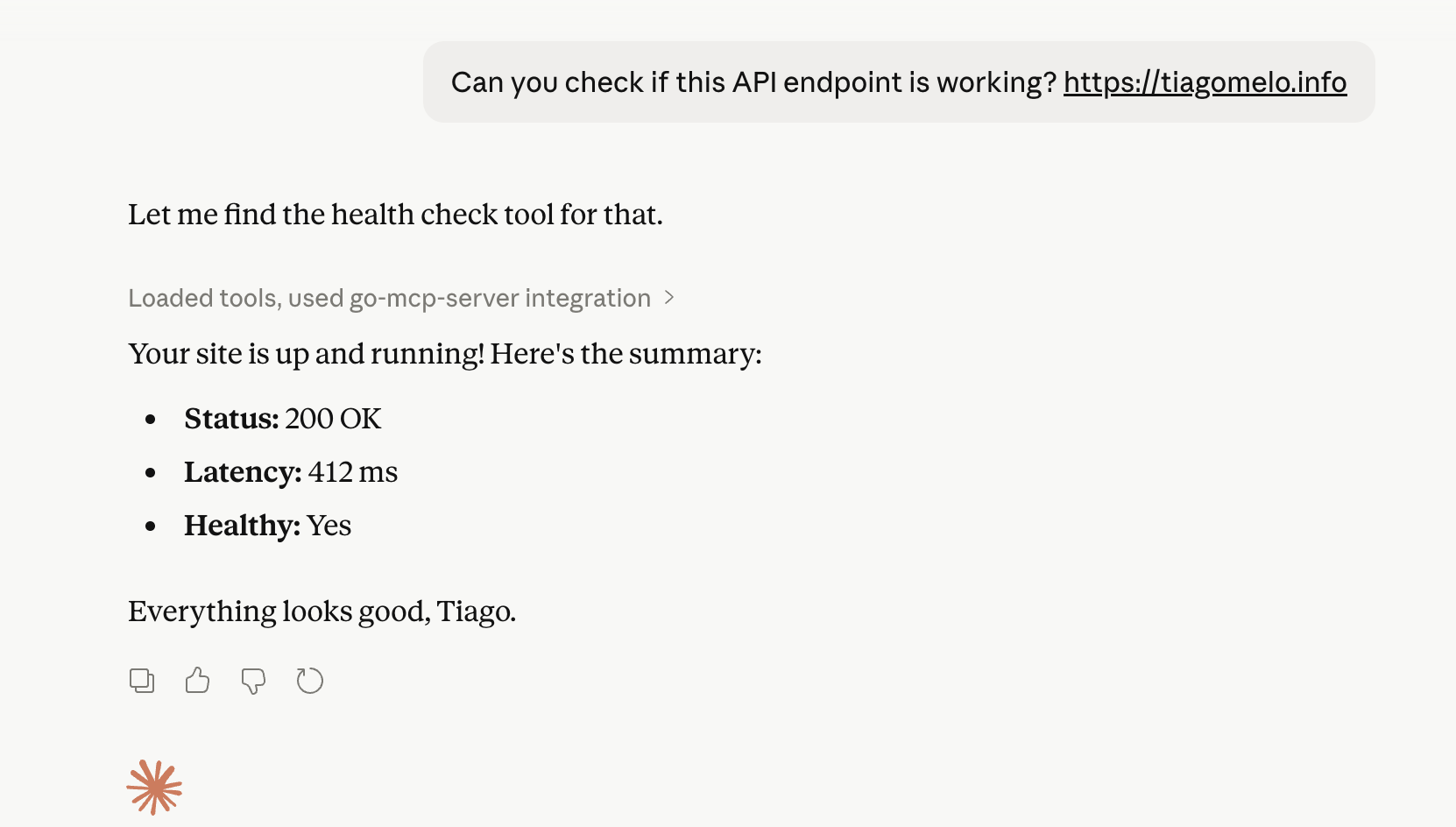
health_check
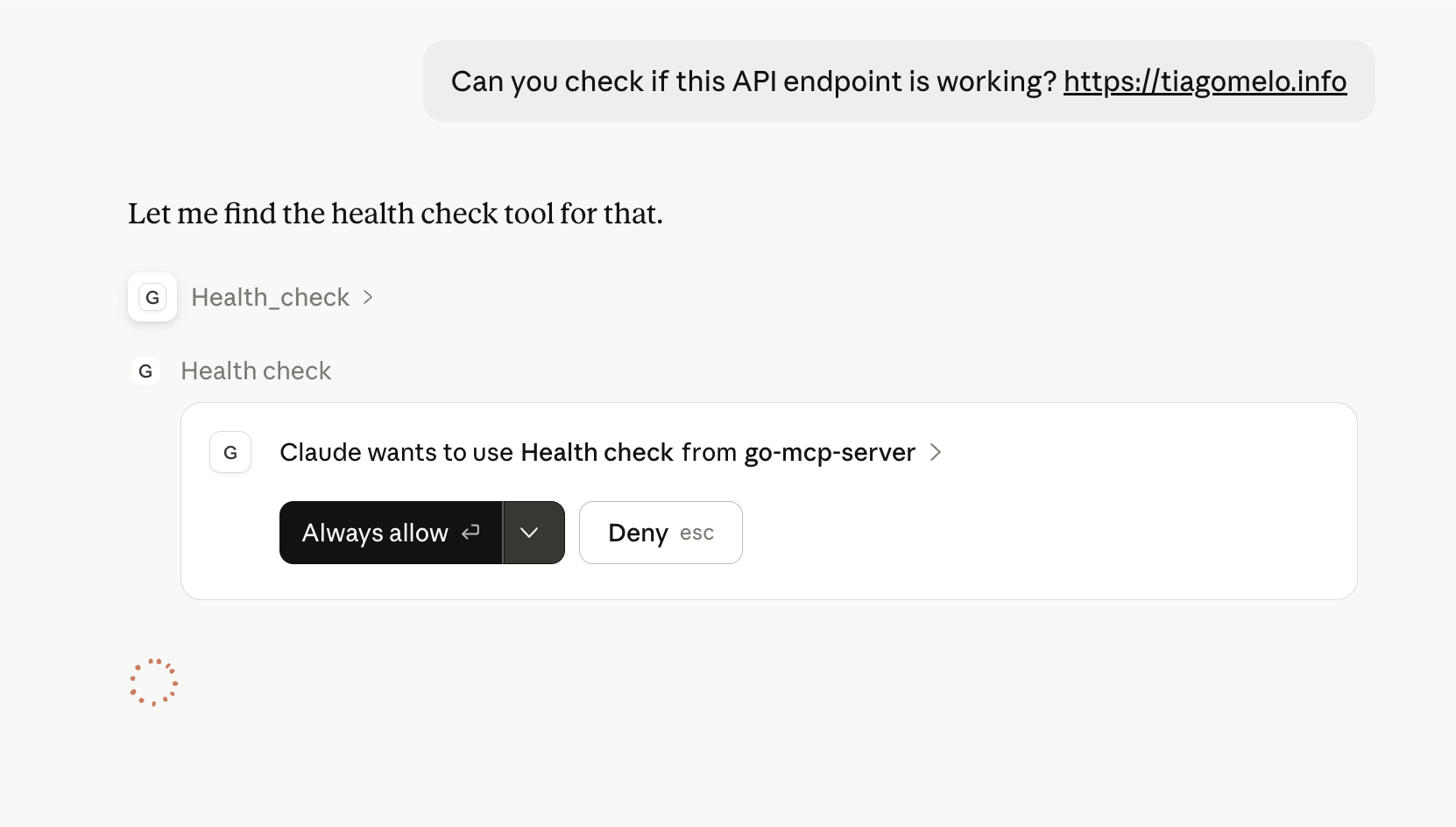
Prompt:
Can you check if this API endpoint is working? https://tiagomelo.info
Claude decides to call:
2026-04-12T16:00:59.474Z [go-mcp-server] [info] Message from client: {"method":"tools/call","params":{"name":"health_check","arguments":{"url":"https://tiagomelo.info"}},"jsonrpc":"2.0","id":3} { metadata: undefined }
Server logs:
time=2026-04-12T13:00:59.474-03:00 level=INFO msg="tool call started" id=3 tool=health_check
time=2026-04-12T13:00:59.887-03:00 level=INFO msg="tool call succeeded" id=3 tool=health_check
Response:
2026-04-12T16:00:59.888Z [go-mcp-server] [info] Message from server: {"jsonrpc":"2.0","id":3,"result":{"content":[{"text":"{\n \"url\": \"https://tiagomelo.info\",\n \"status_code\": 200,\n \"latency_ms\": 412,\n \"ok\": true\n}","type":"text"}],"isError":false,"structuredContent":{"url":"https://tiagomelo.info","status_code":200,"latency_ms":412,"ok":true}}} { metadata: undefined }
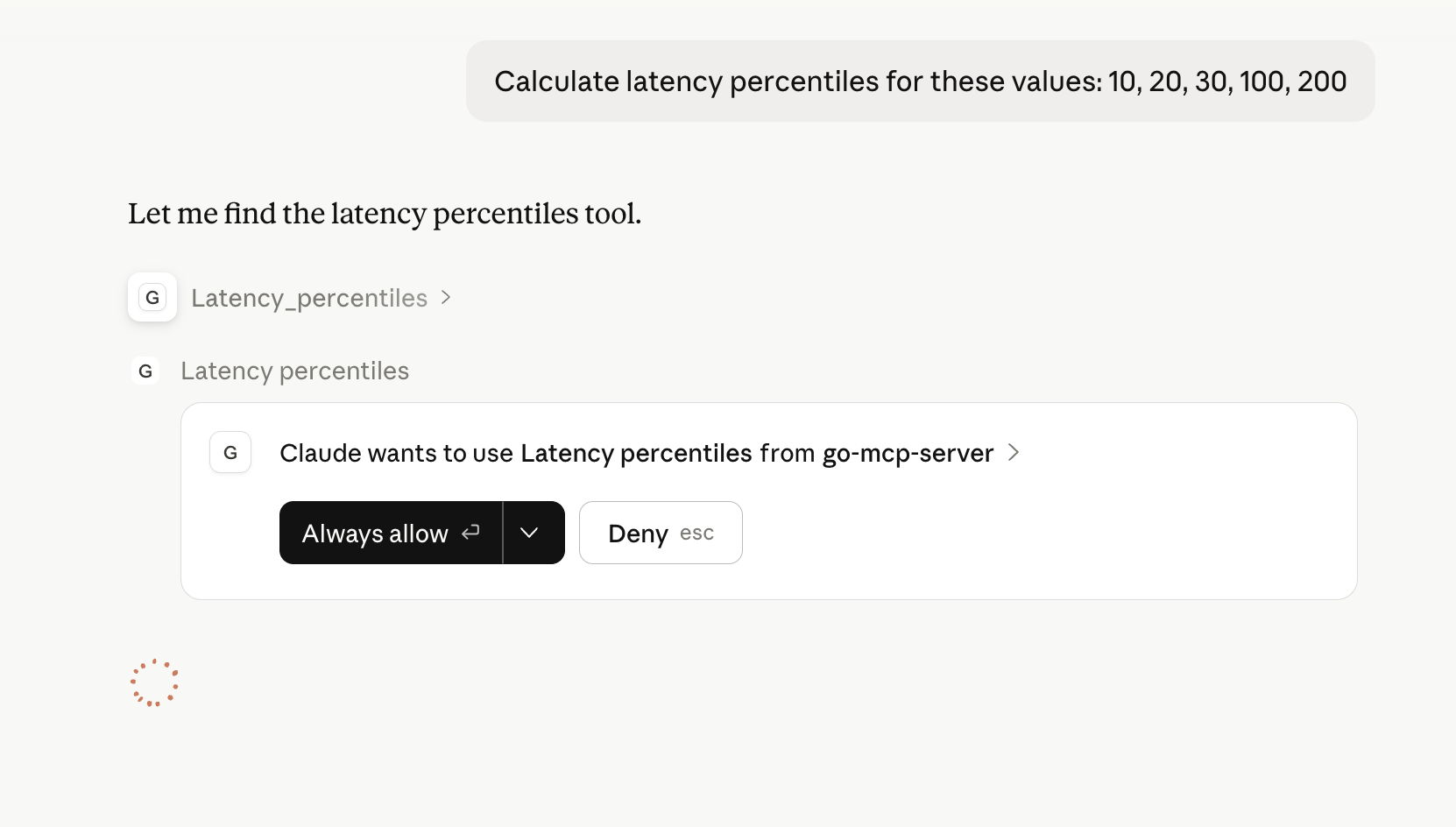
latency_percentiles
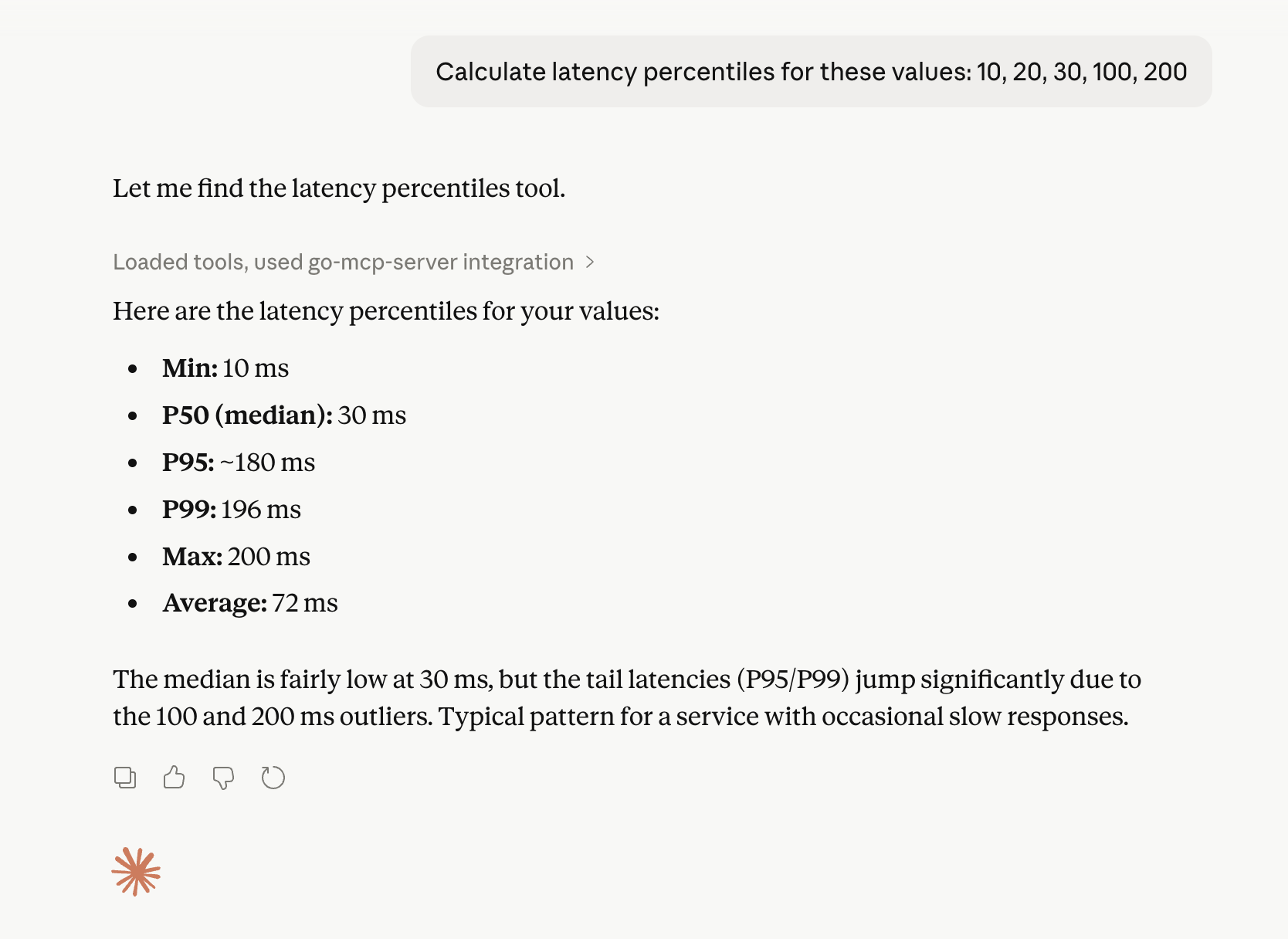
Prompt:
Calculate latency percentiles for these values: 10, 20, 30, 100, 200
Claude calls:
2026-04-12T16:03:03.504Z [go-mcp-server] [info] Message from client: {"method":"tools/call","params":{"name":"latency_percentiles","arguments":{"values":[10,20,30,100,200]}},"jsonrpc":"2.0","id":4} { metadata: undefined }
Server logs:
time=2026-04-12T13:03:03.505-03:00 level=INFO msg="tool call started" id=4 tool=latency_percentiles
time=2026-04-12T13:03:03.505-03:00 level=INFO msg="tool call succeeded" id=4 tool=latency_percentiles
Response:
2026-04-12T16:03:03.505Z [go-mcp-server] [info] Message from server: {"jsonrpc":"2.0","id":4,"result":{"content":[{"text":"{\n \"count\": 5,\n \"min\": 10,\n \"p50\": 30,\n \"p95\": 179.99999999999997,\n \"p99\": 196,\n \"max\": 200,\n \"avg\": 72\n}","type":"text"}],"isError":false,"structuredContent":{"count":5,"min":10,"p50":30,"p95":179.99999999999997,"p99":196,"max":200,"avg":72}}} { metadata: undefined }
Key takeaway: prompts don’t call tools
One of the most important concepts:
You don’t call tools directly. You describe intent, and the model decides.
This means:
Good:
Check if https://tiagomelo.info is up
Bad:
Call tools/call with health_check
Tool descriptions are what guide this decision.
Tool description matters (a lot)
A good description should:
- Explain what the tool does
- Explain when to use it
Example:
Description: "Check the health of a URL by performing an HTTP GET request. Use this when the user asks if a website or API is up, reachable, or responding correctly."
This is what makes Claude choose your tool instead of answering from general knowledge.
Important constraints
When building MCP servers:
1. stdout must be clean
- Only JSON-RPC messages
- No logs
- No debug prints
2. logs must go to stderr
Otherwise Claude will crash with:
Unexpected token 'p' ... not valid JSON
3. tool names must be valid
Claude currently enforces:
^[a-zA-Z0-9_-]{1,64}$
So this is invalid:
postgres.query
Use:
postgres_query
Debugging tips
If things don’t work:
-
Check logs:
tail -f ~/Library/Logs/Claude/*.log -
Run your server manually
-
Verify:
- no stdout pollution
- valid JSON
- correct tool names
Final thoughts
At this point, you now have:
- A working MCP server in Go
- Integrated with Claude Desktop
- Tools being called automatically
- Full visibility via logs
This is the foundation for building:
- internal tooling
- developer assistants
- production integrations
- AI-powered backends
Closing insight
MCP is not magic. It’s just a local process speaking JSON-RPC over stdio.
And once you understand that, you can build anything on top of it.